Connection reporting using Enterprise Search
Slack’s connection reporting feature allows your app to communicate a user's authentication status, or connection status, directly to Slack. By offloading the UI management for "connect/disconnect" states to Slack, you can ensure a consistent user experience while reducing development overhead.
Read on for information about how to implement your own connection-enabled app using Enterprise Search.
Join the Developer Program and provision a fully-featured sandbox for free.
Event handling and status updating
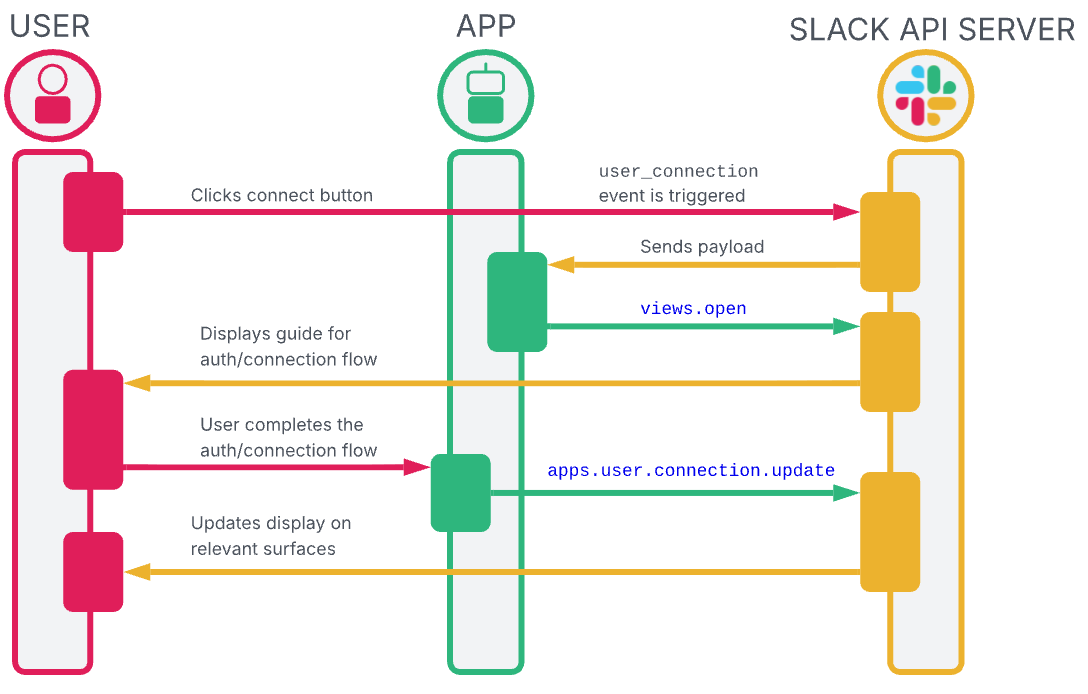
Your app should listen for the user_connection event. This event has a subtype field that dictates whether a user is attempting to connect or disconnect from your app. The app's event handler should handle both cases.
The app is always expected to invoke the apps.user.connection.update API method in its connecting flow to notify Slack when a user's connection status changes. Otherwise, Slack will assume the status for this user has not changed.
Sequence of events
Below is a diagram showing how it all works together:
Example
The following is an example of this sequence of events from the user's point of view within Slack:
-
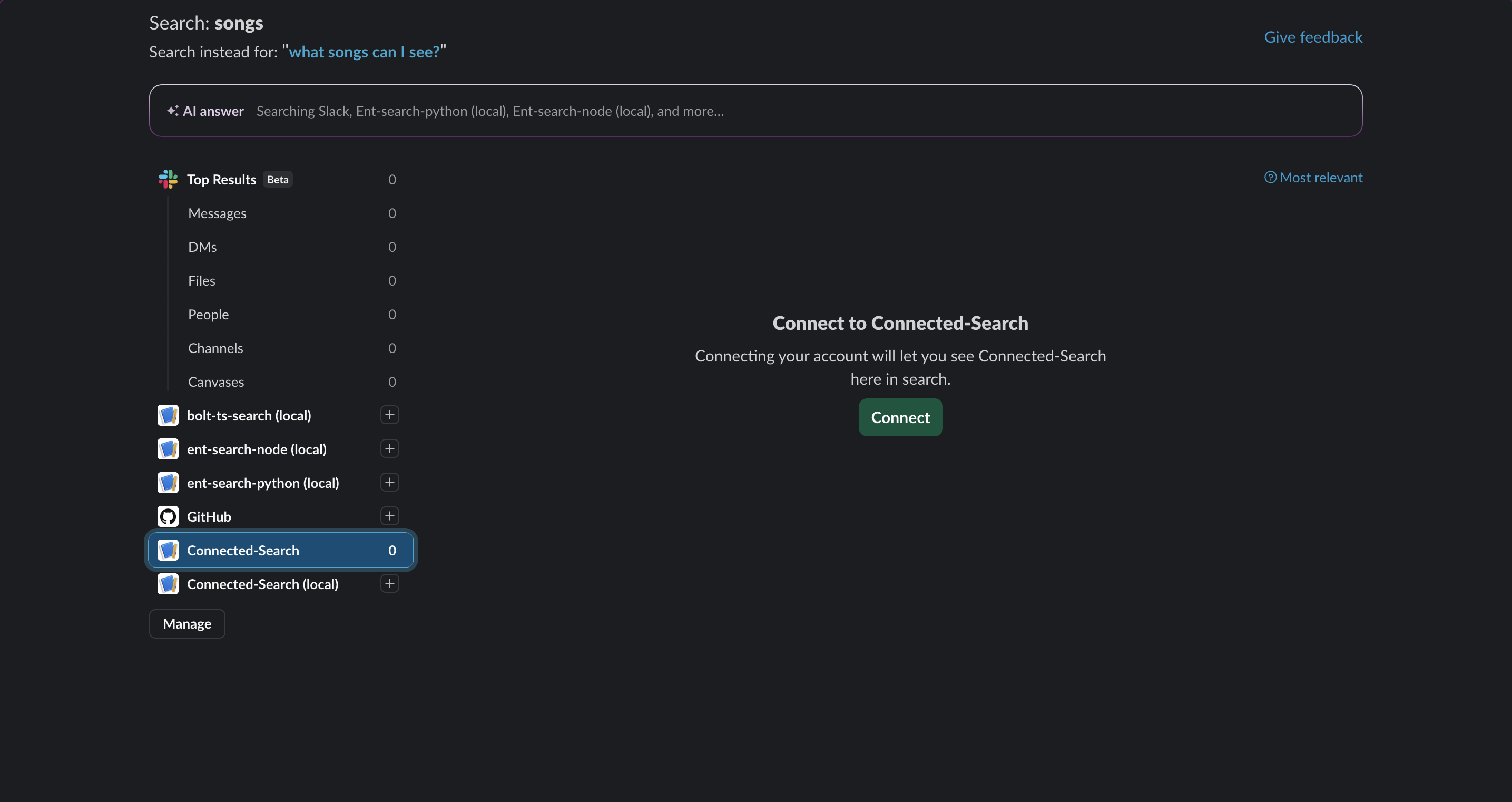
When the user is not connected, they'll see the following:
-
Once they click Connect, your app receives a
user_connectionevent with thesubtype: connect. This event contains atrigger_id, which is used to open a modal that allows the user to connect to your app: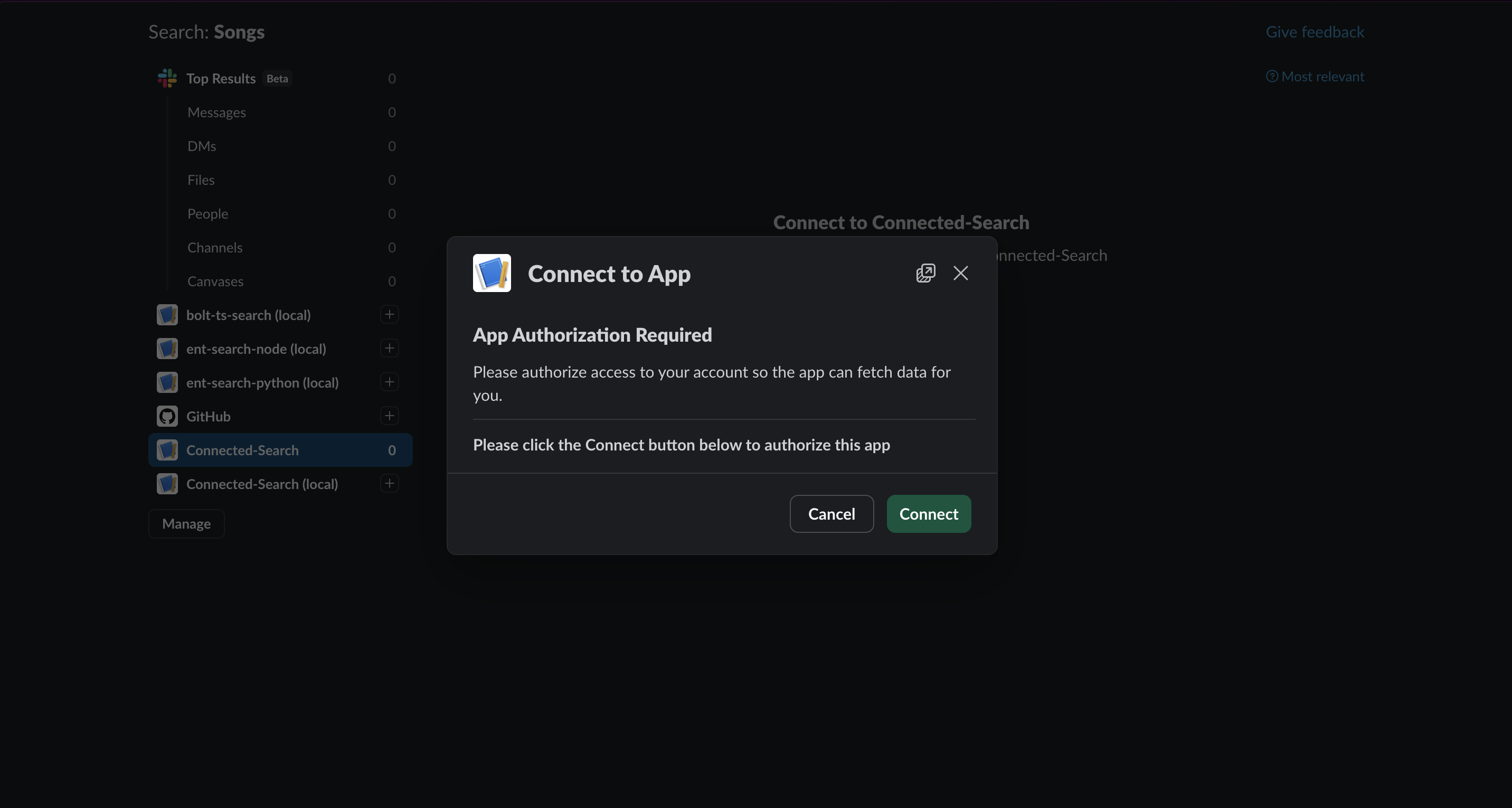
-
Once the user is connected, your app must report the connection status change to Slack by calling the
apps.user.connection.updateAPI method to update the UI with the results: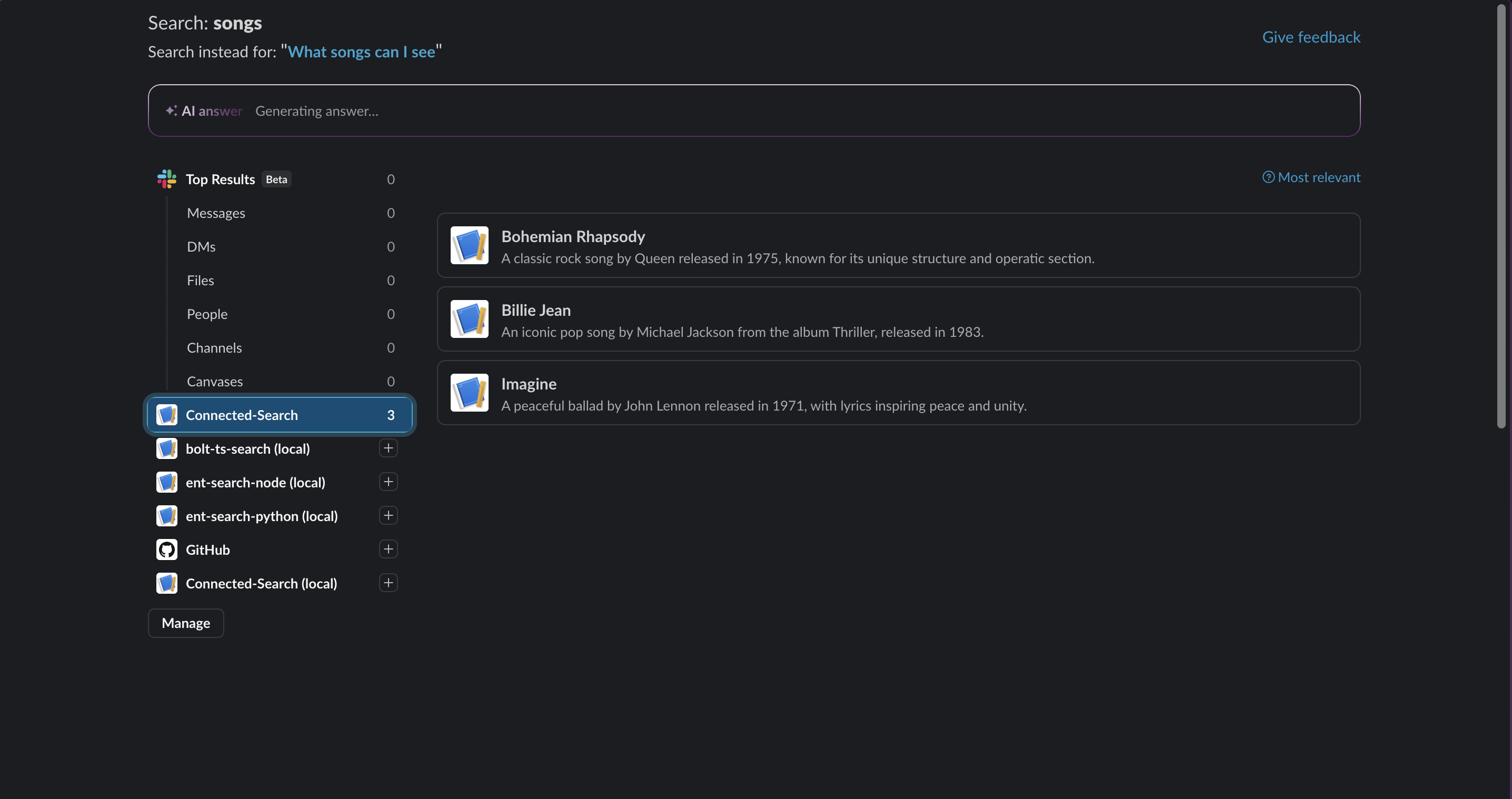
-
Finally, putting it all together we have the following flow: