Using PKCE
Proof Key for Code Exchange, or PKCE, is an optional security feature that is part of the OAuth standard (see RFC-7636 for details). PKCE allows the OAuth flow to be used securely on public clients, like desktop and mobile applications.
Considerations
Before enabling PKCE, understand a few important requirements:
-
Enabling PKCE marks your app as a public client, which is is a one-way operation. It cannot be disabled without contacting Slack support.
-
If an app is using PKCE to redirect to a custom URI scheme (e.g.
myapp://auth), Slack will always issue a rotating token even if the 'token rotation' setting is turned off. You may optionally enable the 'token rotation' setting if you'd like to get rotating tokens for web-based authentication as well. Note that if PKCE is enabled, all refresh tokens issued to your app will expire in 30 days instead of lasting indefinitely.Though it is not required, if you wish to support token rotation on the server side, then you may enable token rotation. See the Using token rotation docs for more details.
-
Once the PKCE setting is enabled, your app may use the PKCE arguments (e.g.
code_challenge,code_challenge_methodandcode_verifier) for any OAuth request. However, your app must use the PKCE arguments if you are redirecting to a custom URI scheme. -
Desktop redirects are not allowed to request bot scopes. Refreshes for those tokens do not require a
client_secretbecause they are intended to be used on a public client. The following qualifies as a desktop redirect:- Custom URI schemes (e.g.
myApp://auth) are always treated as desktop redirects. We will reject any custom URI schemes if PKCE parameters are not used. - Redirects to
localhost(e.g.http://localhost:8080/auth) are treated as desktop redirects if the app has opted into PKCE. If the app has never enabled PKCE, they will be treated like a server redirect.
- Custom URI schemes (e.g.
Enabling PKCE
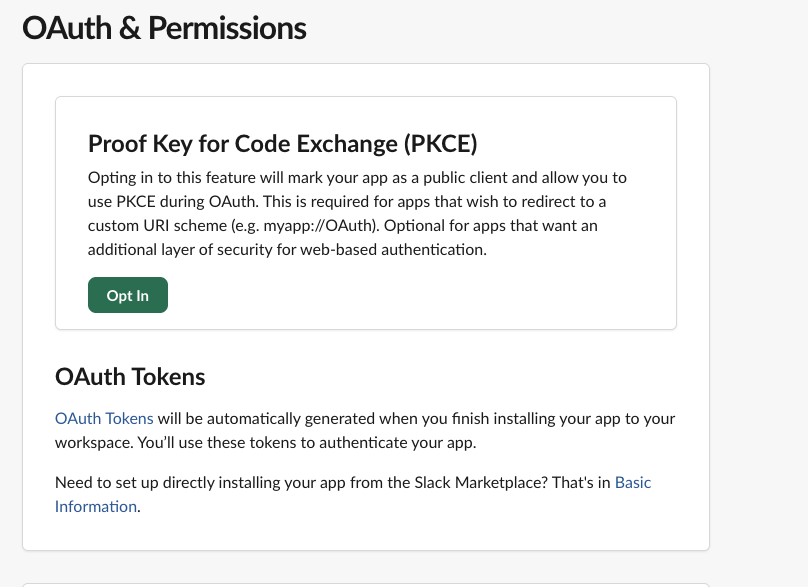
For standard (non-directory) apps, you can find the PKCE setting in the app settings under the OAuth & Permissions sidebar section.
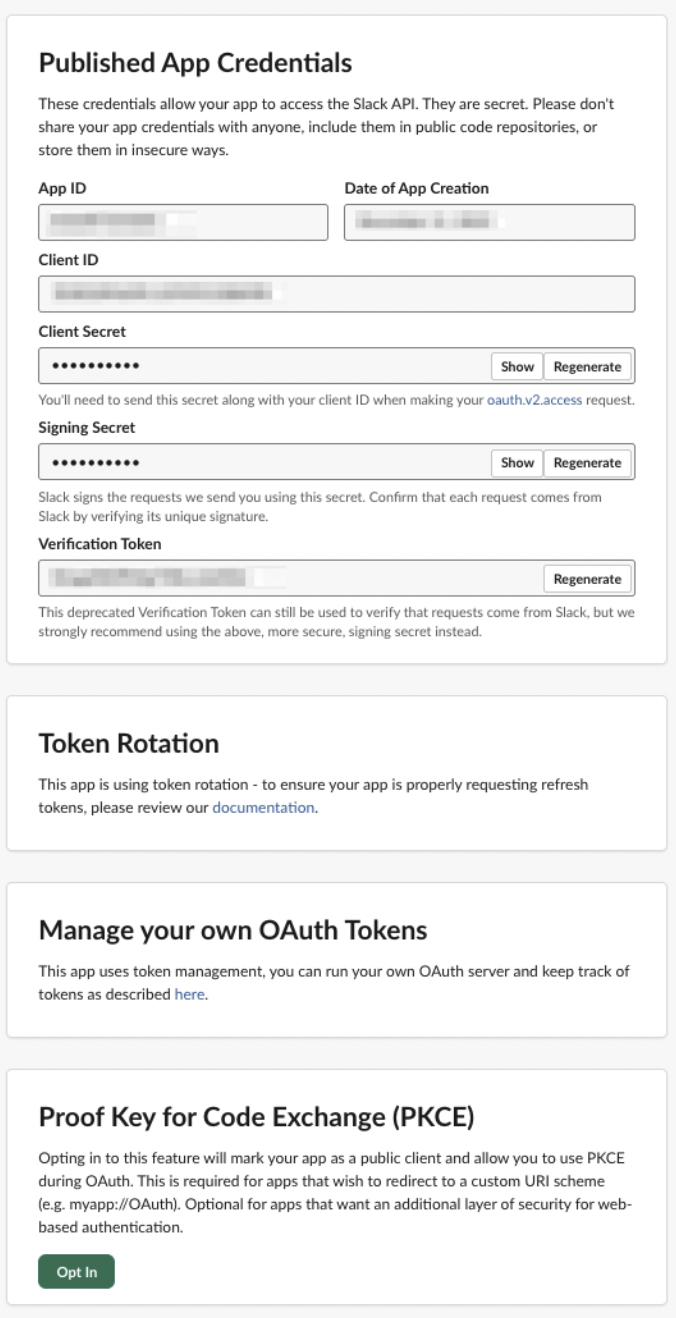
For directory apps, you can find the PKCE setting in the app settings within the Published App Settings. Updating the setting will apply it immediately to the production app without directory approval/review, similar to the other OAuth security settings.
Like all app settings, PKCE can be configured through the app manifest API. Here's what a sample app manifest looks like with PKCE enabled:
- JSON
- YAML
{
    "display_information": {
        "name": "My PKCE App"
    },
    "features": {
        "bot_user": {
            "display_name": "PKCE_App",
            "always_online": false
        }
    },
    "oauth_config": {
        "redirect_urls": [
            "myapp://oauth"
        ],
        "scopes": {
            "user": [
                "chat:write"
            ]
        },
        "pkce_enabled": true
    },
    "settings": {
        "org_deploy_enabled": false,
        "socket_mode_enabled": false,
        "token_rotation_enabled": true
    }
}
display_information:
  name: My PKCE App
features:
  bot_user:
    display_name: PKCE_App
    always_online: false
oauth_config:
  redirect_urls:
    - myapp://oauth
  scopes:
    user:
      - chat:write
  pkce_enabled: true
settings:
  org_deploy_enabled: false
  socket_mode_enabled: false
  token_rotation_enabled: true
PKCE flow
Full details of the PKCE flow can be found in the RFC, but the high level flow is:
- Before initiating the OAuth flow, the client should create a secret (called
code_verifierin this flow) in memory. - Next, the client should create a hash of the
code_verifiersecret (calledcode_challengein this flow). The only supported hashing algorithm for now is SHA-256. - The client should generate an OAuth URL for Slack as usual, but append the PKCE arguments. It may look something like this:
https://slack.com/oauth/v2/authorize?client_id=123.456&scope=&user_scope=chat:write&code_challenge=95d30169a59c418b52013315fc81bc99fdf0a7b03a116f346ab628496f349ed5&code_challenge_method=S256&redirect_uri=myURI
code_challenge_methodmust be set to S256, as that is the only supported hashing algorithm for now.code_challengemust be set to the hash the client created earlier.
- If the user consents to the scopes, Slack will redirect them to the specified redirect URI and provide a temporary OAuth code as usual.
- The client should call the
oauth.v2.accessAPI method, but should not includeclient_secretin the parameters. Instead, the client should provide the code and thecode_verifiersecret it created earlier. - Slack verifies that the hash of the
code_verifiermatches the originalcode_challengefrom earlier. - Slack returns the access and refresh tokens in the
oauth.v2.accessmethod response as usual. See Using token rotation docs for details on how to rotate tokens.
Example values
This example shows a set of valid PKCE parameters:
code_verifieris set tosecretpasswordcode_challenge_methodis set toS256code_challengeis set toldMBaaWcQYtSATMV_IG8mf3wp7A6EW80arYoSW80ntU- This is the SHA-256 hash of the code verifier, output in a URL-Safe Base64 format (RFC 4648 §5). This utility can be used as a reference.
A standard refresh flow might look like:
POST oauth.v2.access grant_type=refresh_token refresh_token=xoxe-1-abcd client_id=123.456
No PKCE parameters (code_verifier, code_challenge) are used during refresh; only during initial authorization.