Slack Marketplace review process
You’ve finished building your app, tested it, and implemented user feedback, which means your app is ready to be reviewed by the Slack Marketplace team, hurrah!
Prerequisites
Before you submit your app for listing in the Slack Marketplace, please ensure:
- Your app is fully functional, publicly available, and can be installed correctly.
- You've tested, tested, tested! This means you have thoroughly confirmed your app's installation flow, set-up process, and end-to-end functionality, including uninstalling it, on a workspace that is not your development workspace: you should run through installation, onboarding and usage of the app as a brand-new customer might, which is how we’ll approach our review.
- Your app has been installed on 10 or more active workspaces and the service has been tested on those workspaces in accordance with the above bullet. An active workspace is a workspace that has been used in the past 28 days. Please note: apps that do not meet this requirement will be blocked from submitting to the Marketplace (this does not apply to security & compliance partners working with our Discovery API).
- You are prepared to maintain your app and to provide good levels of support to the customers who choose to install it.
- Your app meets our guidelines in their entirety. There are certain kinds of apps that are not currently accepted for listing. Please read about those before submitting your app.
Please do not submit your app for review if it's in private beta, still being built, or hasn’t been fully tested. Your app should arrive at the review stage as it would in your customers’ hands, which means bug-free and fully functional. We will return submissions that are not ready for review.
If your app is submitted with bugs, poor user experience, or we repeatedly run into issues of low quality when reviewing, we will return it and ask you to spend more time on it before resubmitting.
Submission timeline
Our review turnaround time can vary depending on volume, so please take a look at the estimated time for review listed on the submission page of your app settings to plan your launch timeline. We are unable to skip or accelerate the review process in order to coordinate with your launch..
Make sure to submit as early as you can before your launch to allow time to action any feedback you receive during the review process. All feedback must be addressed before your app can be listed. Once approved, you can publish your app at the time of your choosing, so submitting with plenty of time before your proposed launch date will give you a buffer to publish on time.
How to submit
Your app submission (and subsequent updates to your app) happens from the Submit to the Slack Marketplace section of your app's configuration page.
As part of the submission process, you will be asked to review your app listing information, your app’s scopes, and to provide us with any supplementary information we need to test your app properly. We recommend that you review your app features separately before submitting to make sure that you haven’t left any test slash commands in by accident.
Before you can submit your app, we will run some automated tests on your app. Once you’ve fixed any issues we detect, you can submit your app.
Help us review
We aim to provide you with as smooth a review experience as we can. We request that your submitted app be in a production-ready state and that you provide us with test account credentials needed to access your service (or any third party service your app connects with) in order to install and fully test your app submission.
If a paid account is required for your service, you’ll need to share login credentials with us for an account with the required level of access. If you choose to provide us with a free trial account, please make the free trial as long as possible, since we might need to test over an extended period of time.
Please provide us with test accounts that include dummy data, particularly if your app connects to another service beyond your own. If a test account is required to connect other services to your app, please provide the login credentials for those 3rd party services in the “Test account details” section of the submission flow.
Demo your submission
You can help us review your app more quickly by providing us with a short video demo. For a new submission, it should include a video showing the full installation and OAuth flow, set-up process, and end-to-end functionality, including uninstallation. This will help us greatly when it comes to performing our functional review of your app.
If you’re submitting updates to an already published app, your video should demonstrate the new functionality you’re adding.
The review process
The review itself consists of the Slack Marketplace Team checking your app against our guidelines.
After preparing your app for submission and addressing issues caught in the automated feedback section of the submission process, your app will move onto the manual review.
There are two main parts of the review:
- Preliminary: confirming the app is ready for review
- Functional: installation and testing of the app
The preliminary review
This section includes a review of your listing information, accompanying documentation and links, and a quick look at the reasons you’re requesting each scope. We’ll also check that we have the information and access required to install your app. We may install your app to check that OAuth is working and that the app is ready to be reviewed, but we won’t begin testing your app at this point.
If we find any failures in this first part of the review, we’ll return your submission with that feedback. This includes issues we run into when trying to access and install your app.
During this part of the review, your place in the queue is reset each time you resubmit. This restarts the timeline for the next part of the review, so be sure to take a look at our submission guidelines before you submit. The more closely your app follows these guidelines, the less feedback there should be.
The functional review
Once your app enters this stage of the review, your submission will be assigned to a reviewer and you’ll receive feedback about your app’s functionality and associated scopes. Feedback from this part of the review generally takes up to 10 weeks for new submissions and 6 weeks for published apps resubmitting changes (though we try to handle small changes like copy/URL edits much faster). Once your submission has been assigned to a reviewer, your place in the queue is not reset when you resubmit with changes.
We may run into bugs and issues you may have missed, and we’re always happy to point those out. However, our review is not a replacement for Quality Assurance testing. If we run into frequent bugs that prevent us from fully testing the app’s functionality or that provide a poor user experience when reviewing, we will return your submission and ask you to develop it further before resubmitting.
How we approach scopes
We can only review and approve scopes and functionality that are already available within your app (that we can test or see comprehensive demos for). Please do not submit your app with scopes for a feature that you plan to build at some point in future. In addition, you’ll also need to ensure that your app does not request legacy/restricted scopes, scopes that provide extensive access to workspace data, or coded workflow scopes (e.g. identity.*, workflow.steps:execute, read, post, client, admin.*, search:read, triggers:*).
With that in mind, we also encourage you to consider how you’ll communicate with your customers through the app when you do have updates that require the app to be reinstalled (such as adding scopes). Using the context block in a message or sharing the updated OAuth link in your app home are great ways to alert your customers to updated scopes and functionality.
Feedback
You’ll receive our feedback from the review within the submission flow in your app settings, as well as email notifications about the status of your submission to the email address you entered during the submission. You can review the feedback, address each point, and then resubmit when ready. At this point, we’ll confirm how you’ve addressed the feedback and either send your submission back with more questions, or finish the review for you to publish your app and changes.
When your app or the updates you’ve made to it have been approved, you’ll be able to publish at your own convenience from the app settings page.
Updating your app
Once your app is published in the Slack Marketplace, the live version of your app is locked. This means that you will not be able to make any changes to your app’s configuration, features, or scopes without re-submitting the app for review.
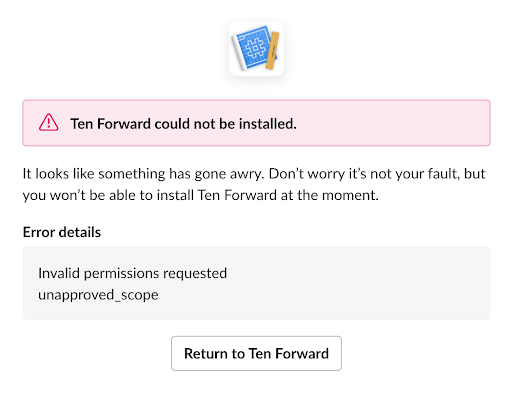
Additionally, any updates you make in your app that may be affected by your Slack app configuration (such as scope changes or updated redirect URIs) will not work until you have submitted and published the changes. You will also need to manually update your OAuth URLs to include any new scopes after approval. If you try to make changes to your live app, it can break your app's experience for users; e.g., if you update your app’s install link to add new scopes that were not previously reviewed, your app will show customers an error and they will not be able to install it.
Video demos
We love video demos! If you are adding a new feature to your app, the best way to help us review your changes quickly and easily is to provide a link to a video demo with your submission. The demo should show the new feature/functionality in its entirety. If you are adding new scopes, be sure to explain clearly in the demo how they are being used by the new functionality.
Testing updates on a published app
If the changes you are making are substantial or we feel that we need to do some hands-on testing then we will require access to a test or staging app that is identical to your published app (apart from the changes you are making) so that we can test during the review process.
For example, if your app is cycling_tips, create a staging app called cycling_tips-staging that can be distributed. You can create a copy of your app for dev/staging using your published app’s manifest. This staging app can then be used to test updates to your app's functionalities such as adding a new feature, scopes, or events, as well as to give us a way to test during review if needed.
Changes that don't require a video demo/test app:
- Updates to display information (e.g. app name, descriptions, icon)
- Changes to pricing, languages your app supports
- Updates to existing app endpoints/page URLs
Changes that will require a video demo/test app:
- Enabling new functionalities for your app
- Adding new scopes to your app
Things to note:
- If you are adding functionality/scopes that could impact our privacy model (for instance, could potentially expose private information) it is likely we will need a staging app so that we can poke around.
- If in doubt, provide a video demo.
Submitting the changes
Once ready, submit your changes for review, including information about the changes you’ve made, video demo links, as well as how to install and test your staging app (if applicable) in the Testing Information section. Please note: the staging version itself does not need to be submitted for review, but we do need a way to install it.
Once your update is reviewed, you’ll be able to choose when to publish the changes to your app, allowing you to coordinate when you deploy your changes.
Resubmitting your app with granular permissions
If you maintain a classic app in the Slack Marketplace, perhaps making use of the umbrella bot scope, you'll want to migrate to granular permissions. Read on for a walkthrough on how to migrate your published Slack Marketplace app.
Note: Upgrading to granular permissions is a fundamental change to your app. It cannot be undone. Make sure you test your app fully, including your modified OAuth flow with updated scopes and provide a staging app with those scopes in your submission.
Read on for more details on migrating your Slack Marketplace app.
Upgrading scopes
To migrate your app, you must upgrade your OAuth flow to use the Slack V2 of OAuth 2.0—if you do not upgrade your OAuth flow, you will not be able to use new permissions. Our migration quickstart will help you see the differences in new and old Slack apps at a glance.
The migration guide fully walks you through choosing new scopes and using the new OAuth flow, but here's a helpful tip: use only the absolute minimum number of scopes for your app to work. Do not automatically select all the scopes listed during migration.
The easiest way to find a minimum set of scopes is to list which API methods your app uses. Select the scopes needed for those methods. Avoid scope duplication: choose only the scopes you need for a bot token and any user tokens—and use the bot token unless you need to act on behalf of a specific user.
Communicating with customers
While updating your app to use granular permissions, you've most likely changed the scopes that your app requires. Your existing users will need to reinstall the app. To alert your users about those changes, consider using your app's App Home, or context block messages) from your app, to let users know an update is available.
Being listed in the Slack Marketplace
Once your app is listed in the Slack Marketplace, make sure you review the post-approval requirements for listed apps and the possible enforcement actions if those requirements aren’t met. Stay up to date with platform and Slack Marketplace updates by subscribing to our changelog, signing up for our developer newsletter or joining the Slack Community.
Boosting app visibility
Featured apps
We regularly feature apps in the Slack Marketplace that we believe will make customers’ working lives more pleasant and more productive.
Do you think your app would be a great fit for us to feature? We'd love to hear from you! Tell us more about the value your app is providing, any recent updates or improvements you've made, or feedback you're hearing from customers. If you're planning a big marketing launch with an update to your app, feel free to include links to blog posts you're using so that we can learn more about the new additions to your app.
App Suggestions
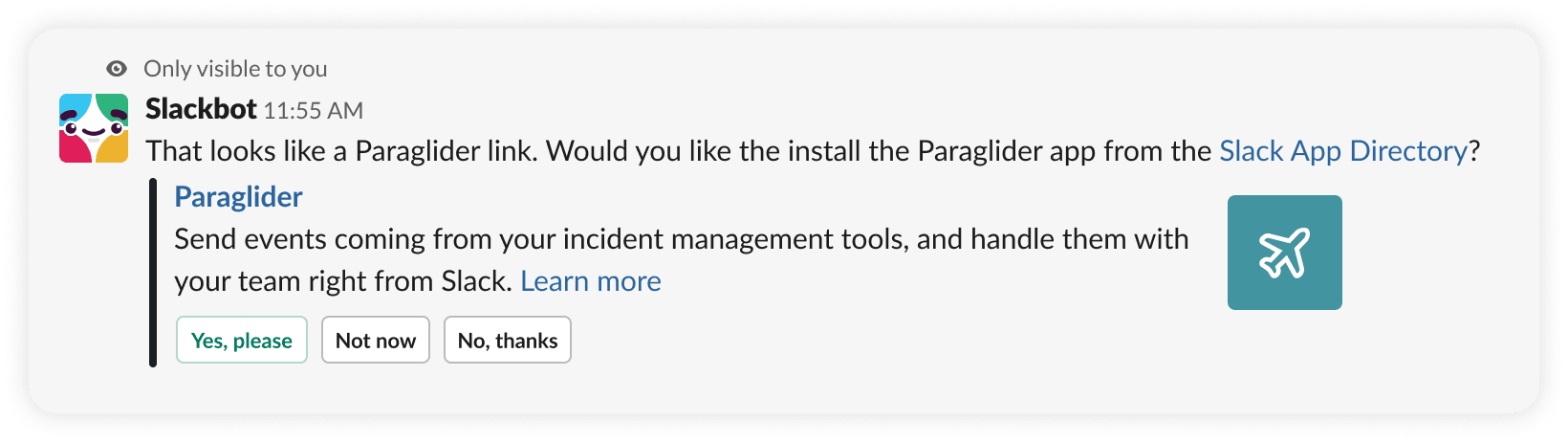
Once you get published in the Slack Marketplace, Slack can suggest your app to new users. This will happen when links containing the domain name associated with your app are mentioned in conversation:
While managing your Slack app settings, you'll find a snippet of HTML customized for your app under Manage Distribution. It's a META tag declaring your Slack app's ID, which typically begins with A. If you already know the ID, you can build one of these tags yourself.
The snippet looks something like this:
<meta name="slack-app-id" content="YOUR_APP_ID_HERE">
Place this brief piece of HTML in your website template's HEAD section, beside other metadata rubble you've accumulated, like so:
<html lang="en">
    <head>
        <meta charset="utf-8">
        <meta name="slack-app-id" content="YOUR_APP_ID_HERE">
        <title>Beforebot highlights bots before it</title>
    </head>
</html>
With this HTML in place-and once your app is listed in the Slack Marketplace-Slack is ready to suggest your app to new users on workspaces it isn't yet installed on.
How app suggestions are triggered
Let's take a hypothetical example. @beforebot is an app in the Slack Marketplace that has placed its app ID meta tag in the template of all pages on https://before.bot/.
On a workspace where @beforebot is not installed, @seo posts a message talking about the link https://before.bot/movies/flight-of-the-navigator/trimaxion.
Within moments of posting, Slack crawls the URL and extracts the app ID, correlating it to the @beforebot app. Slack then posts an ephemeral message only @seo can see:
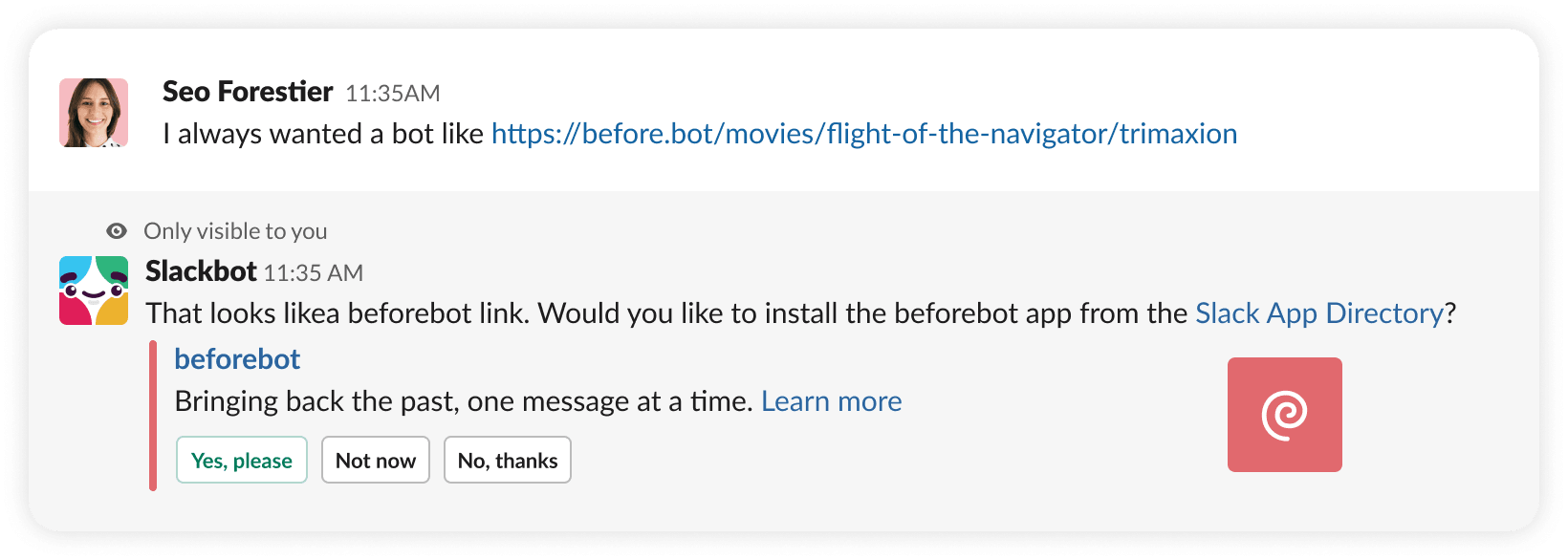
This message contains the app's icon and short description, along with a link back to the Slack Marketplace. It also contains three decisive links:
- Yes please takes
@seoto the Slack Marketplace - Not now will dismiss the ephemeral message but possibly suggest to
@seoagain when posting links tobefore.bot - No thanks will dismiss the ephemeral message and won't prompt
@seoto install again
App suggestions are a great way for users and workspaces that are curious about, or already using your product or service to discover your Slack app.
Once installed, your app can attach custom unfurling behavior to relevant links shared in messages, among all the other nifty things bots and apps can do.